Bring Bible lookup, projection, songs, slides and video into one free desktop workspace for preachers and church media teams.
Activate optional AI transcription and automatic verse detection when you need them. The next desktop update also turns saved transcripts into editable sermon notes with dated PDF and Word exports. Preview, queue and choose what reaches the congregation.
Click once to preview. Double-click to display in this demo.
Operator preview
John 3:16 (KJV)
For God so loved the world, that he gave his only begotten Son, that whosoever believeth in him should not perish, but have everlasting life.
Demo output · Nothing displayed
Previewing a passage keeps the output unchanged until you choose Display.
This demonstration uses fixed Bible passages. It does not listen to your microphone or connect to a projector.
Inside the desktop app
See your choices before the congregation does.
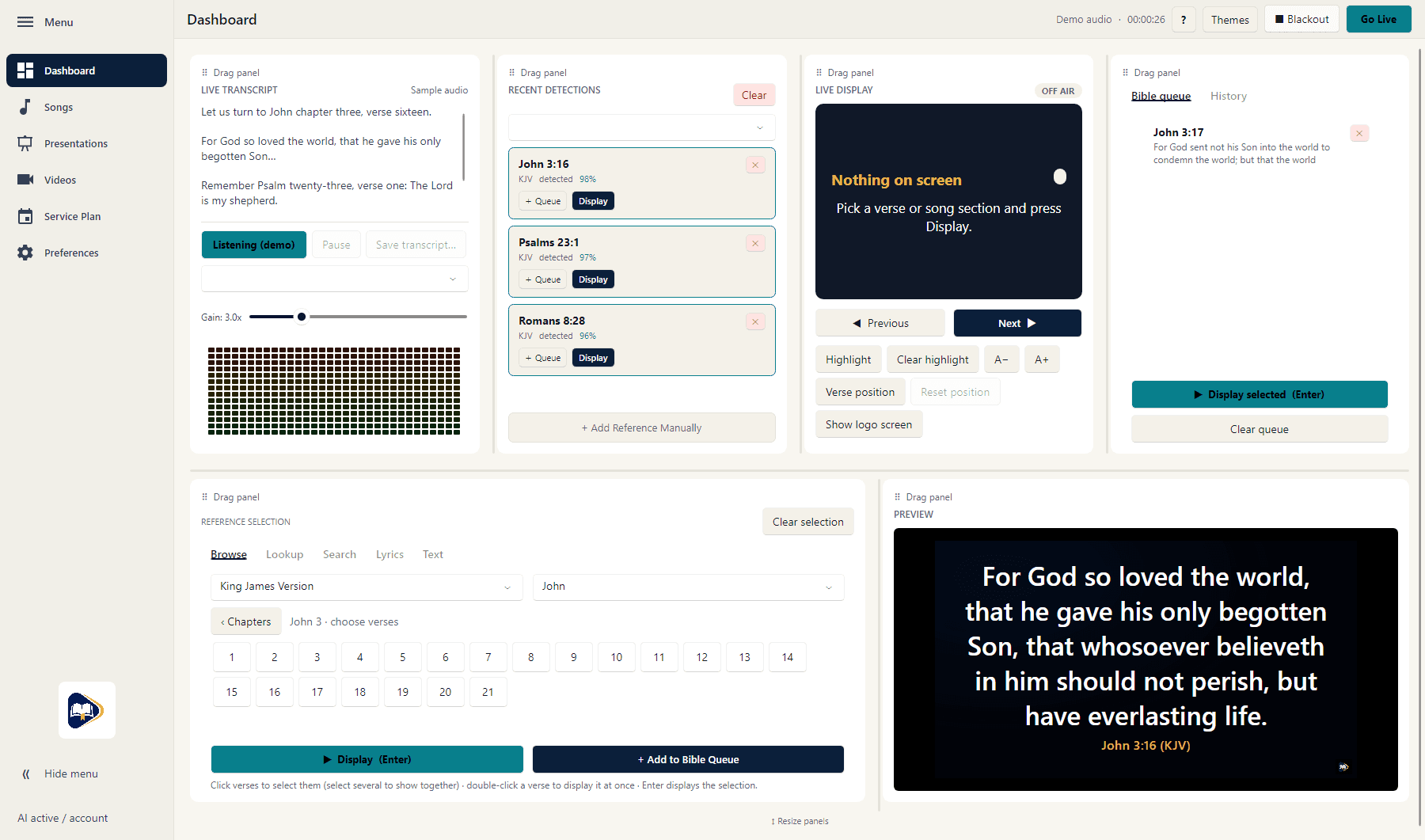
Follow transcription, review recent detections and prepare the next verse from the main dashboard. Explore the gallery for appearance previews and speech-model controls.
Follow a sample live transcript alongside recent detections, a bookmarked Bible queue and the operator's verse preview. Demonstration content and detection scores are illustrative, not measured accuracy.
Current desktop interface with demonstration content. Screenshots are still images; appearance varies with the selected theme and window size.
Built for the booth
One desktop workspace for the service.
From the first spoken reference to the next song, slide or live source: prepare the content, preview your choices, and decide what the congregation sees.
✎
Transcript → sermon notes
Next desktop update: save a transcript, then let the local LLM organize source-grounded excerpts into editable notes. Add optional instructions and export dated PDF, Word, Markdown or text. Generation uses existing paid or admin-granted AI access.
🎙
Local speech recognition
Optional activated AI transcription uses the included verseVIO Clarity model. Optional alternatives download from a dropdown and can be deleted when inactive.
🔎
Scripture suggestions
Follow live transcription, detect spoken Bible references, and find candidate passages from paraphrased Scripture. Review every match before displaying it.
🖥
Preview before projection
Click a recent detection once to preview it. Double-click or use Display to send it to the verse display. The operator stays in control.
📖
Translations that stay in step
Import supported XML or JSON Bible files. Save a default translation change to update manual selections, queued Bible selections and transcription detections.
☑
Queues and service plans
Bookmark detected verses, build a Bible queue, and prepare named service plans. Displayed detections leave the recent list; queued bookmarks remain available.